SACS Pre-Flight
Every TRC finding, with the entry that clears it.
Run an Other Export from the SACS Web System, drop the .dat file in the browser, and see what the technical review checks will flag while your period is still open. Findings are free. The file never leaves your computer.
No signup to try the sample. One file, runs with the wifi off, and your IT staff can read the source.
The verdict, then the list
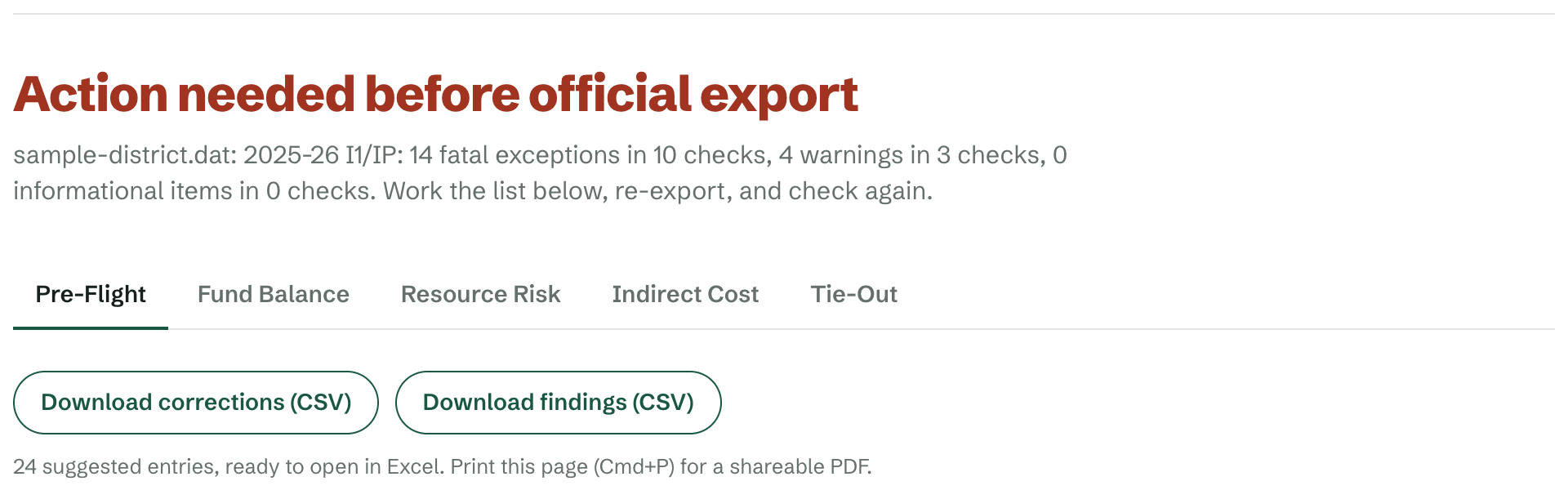
Action needed, or ready for the Official Export.
Fatal exceptions, warnings and informational items, counted by check, then every finding with the line it is on and CDE's own wording. Download the findings as a CSV, or print the page for a shareable PDF.
Under CDE's own check names
The same ids you see in the TRC log, the same severities.
Every check has its own page here: CDE's wording, what it means, why it fires, how to fix it. Paste the id from your screen.
- CHK-FUNCTIONxOBJECTAn object that isn't allowed with that function
- CEFB=FD-EQUITYFund balance components that don't add up to the ending balance
- CHECKGOALA goal code that isn't valid this year
- CONTRIB-UNREST-REVContributions from unrestricted revenues don't net to zero
- BALANCE-FDxRSThe balance sheet doesn't balance within a resource
- INTERFD-IN-OUTInterfund transfers in don't equal transfers out
- CHK-RESOURCExOBJECTBAn expenditure object that isn't allowed in that resource
- EFB-POSITIVEA resource ending the year negative
The correcting entry, when you want it
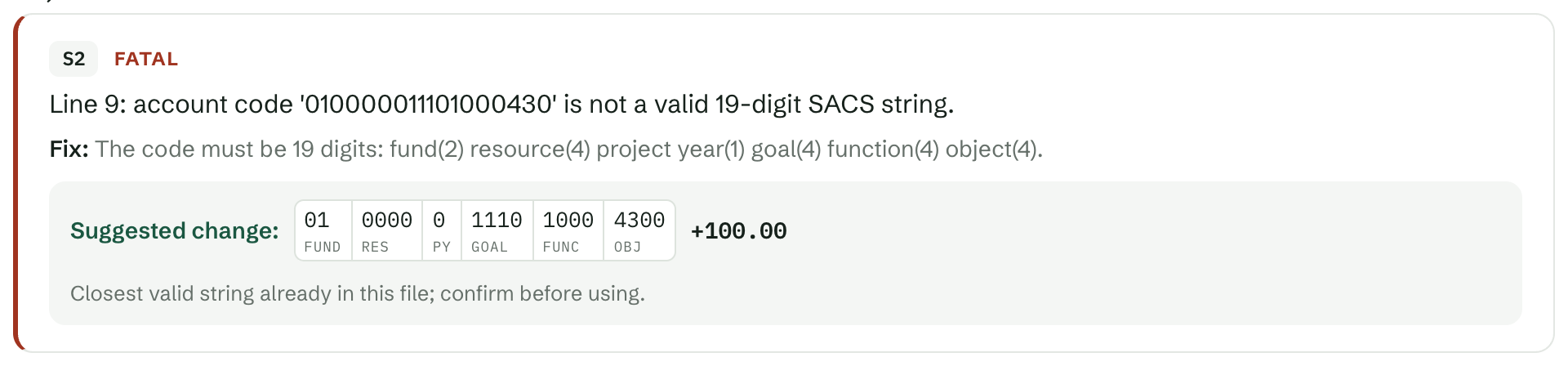
Every finding as an exact correcting entry.
The full 19-digit account string, the amount, and an Excel-ready export. That is the Corrections Engine, the one license that opens the rest of the SACS suite.
$2,000 / district / yr
Your file never leaves your browser.
Processing is entirely client-side. District data is never uploaded, stored or seen by us; licensing is the only thing that touches a server. Disconnect from the network before you drop the file if you want to see it for yourself, or download the offline copy.
145 of 145, on a real file.
On a real 2025-26 actuals file it reproduced every one of the 145 GL-level exceptions in CDE's own TRC log, none missed, none extra.
Built by people who close books.
Designed by someone who files SACS submissions, ties out funds and answers to a board, for the deadlines and forms districts actually face. Email contact@districtfiscaltools.org and a person answers, not a ticket queue.
Run the export while the period is still open.
First Interim is next. Findings are free, and the sample file is one click if you have no export handy.